|
HDR
Reviews
Rather
than reinvent the wheel, if you don't know what HDR (High Dynamic Range)
photography is, read
what Wikipedia has to say
In
my search for an HDR processor I tested three out of the many
available applications: Easy
HDR Pro Artizen
HDR and Photomatix
Pro
My main
criteria for photo processing software are: quality of results, speed of
operation and ease of use. Since I
was only looking for an HDR processor, I tried (but not always successfully) to
ignore any other attributes the
different applications offered. The
screenshots below show each application's default results after merging three
images; of course there is huge scope for adjustment.
Easy HDR Pro
1.50.2 – Price 30 Euros
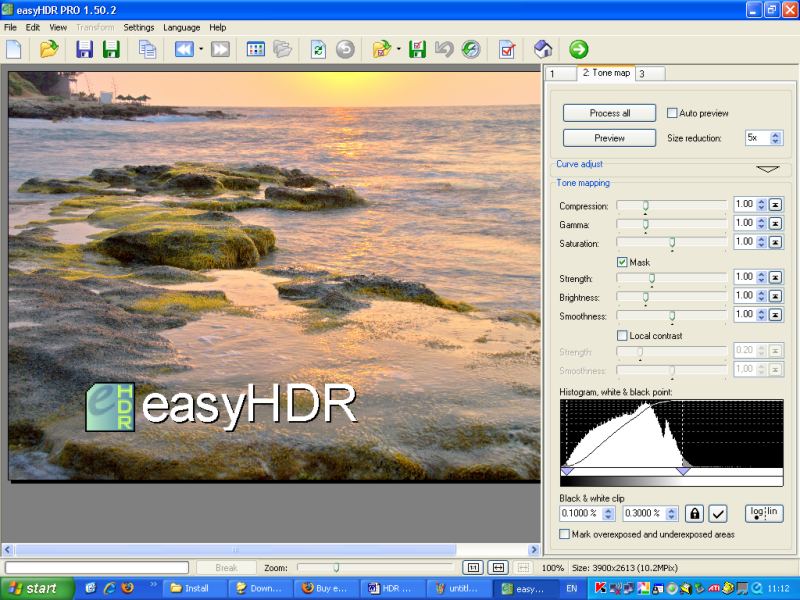
Loading times:
2mins 8sec
to open 3 NEF (RAW format 0, -2 and +2EV) images*
1min
11secs to ‘Generate HDR’ to produce the workable image.
*Part of
the reason for the lengthy loading time is because I had to click through dialog
boxes as each picture was loaded and the clicks were unresponsive, ie the action
was delayed by several seconds.
After
generating the HDR image (more than 1min) and to further manipulate the image
you have to click the ‘preview’ button after making each adjustment; you
will probably want to make lots of adjustments too so it’s very time
consuming. That’s a shame because
other than that I liked the clean and simple interface. Easy HDR doesn’t
remember the last folder visited.
Artizen HDR 2.5.36
– Price 45.95 Canadian dollars
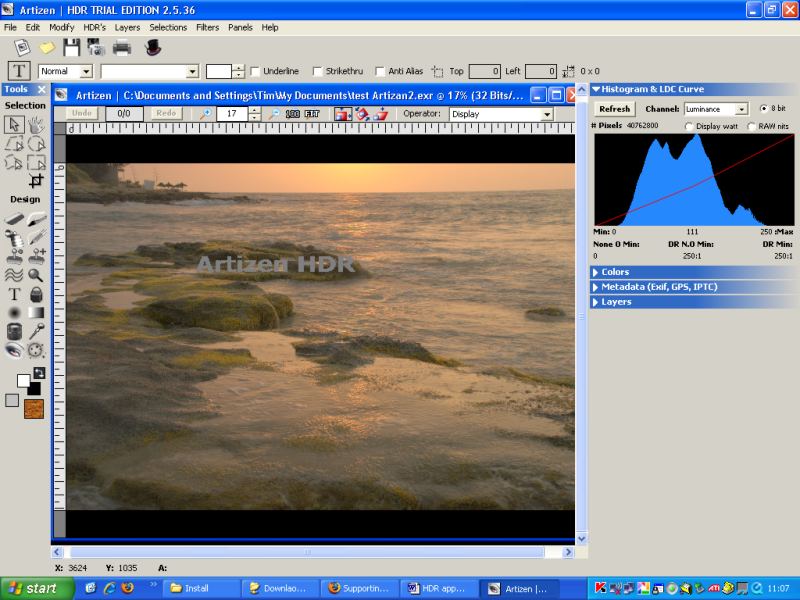
Loading Times:
38secs to
open 3 NEF (RAW format 0, -2 and +2EV) images.
13secs to
‘Merge to HDR’ to produce the workable image.
Rather a
lot of wasted screen real estate making the all important image window small.
Trying to be much more than an HDR processor and not doing the other jobs
very well; sharpening is dreadful. Generally
I felt it had a rather amateur feel but it does remember the last visited folder.
Photomatix
Pro 3.0 – Price 118 US dollars (standalone or 82 as Plug-in)
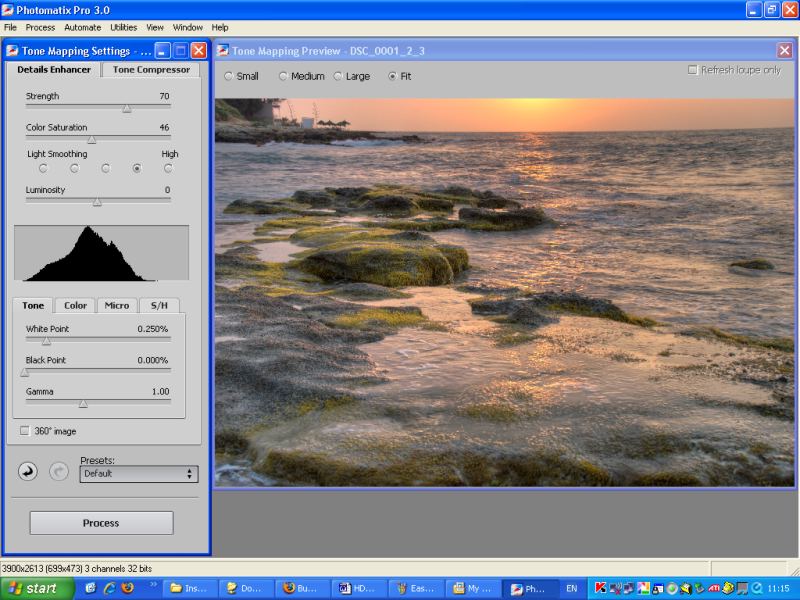
Loading Times:
37secs to
open 3 NEF (RAW 0, -2 and +2EV) images.
4secs to
‘Tone Map’ to produce the workable image.
Of the
three I tested, this is the quickest and defaults to a more photo realistic
output. It also auto updates the image after adjustments too.
Photomatix remembers last folder
visited. It has the highest price
tag but it satisfies my three main criteria of quality, speed and ease of use so
that is the one I purchased.
Results
Although
with RAW files it is possible to use just one image to generate a composite HDR
result, it is generally better if you take two or more shots of the same scene
and adjust the exposure in camera. If shooting JPG, then it is essential
to shoot a minimum of two images. For this particular example below, I
shot two frames without a tripod and the Photomatix option 'align source images'
automatically took care of the small differences in image alignment.
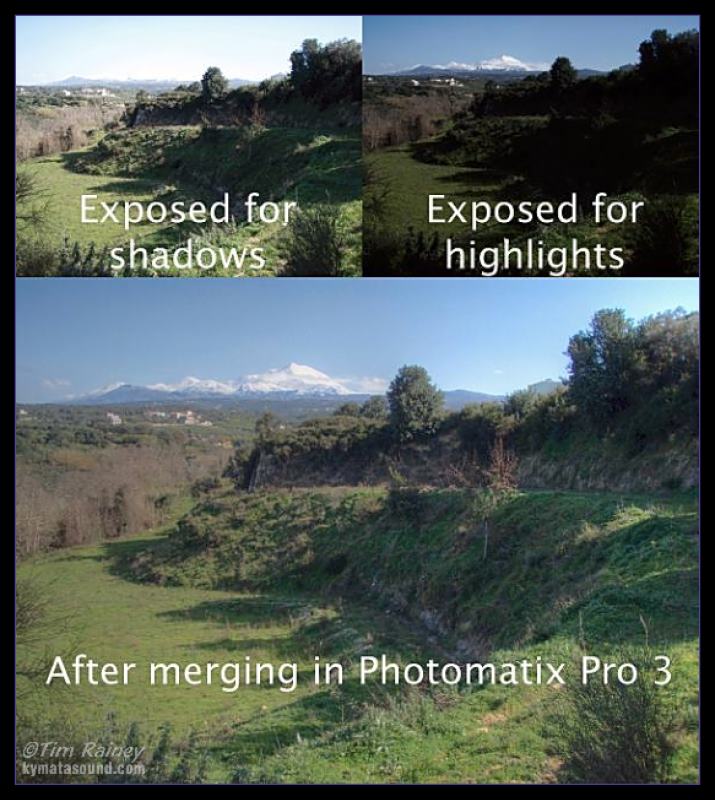
Photomatix has
done a great job of producing a realistic image that is very close to how the
naked eye perceives such a high contrast scene.
There
are some more results on my photography
page
My test
PC details:
Fujitsu
Siemens laptop with 1.73GHz Intel Pentium M processor, 2GB of RAM running
Windows XP Pro SP2 at 1,024 x 768 screen resolution.
Application home pages
Fully
working* trial copies of all the above applications can be downloaded for
evaluation from the following locations:
Atrizen
http://www.supportingcomputers.net/Applications/Products.htm
Easy
HDR http://www.easyhdr.com/purchase.php?v=1.50.2
Photomatix
http://www.hdrsoft.com/order.php
When purchasing, If you enter VPG8 in the 'Coupon Code (Optional)' box of
their order form you will receive an 8% discount (as of August 08)
*as
can be seen from the above screen images, a watermark is included on the trial
version output
©Tim
Rainey 2008
Shameless plug:
Nishikigoi Varieties is a 90 minute visual bonanza of beautiful
koi carp…read more

|